Describe the event and an AI agent lays out a real poster in vDesign, with every date, time and headline still text you can change. Free, on the model you choose.
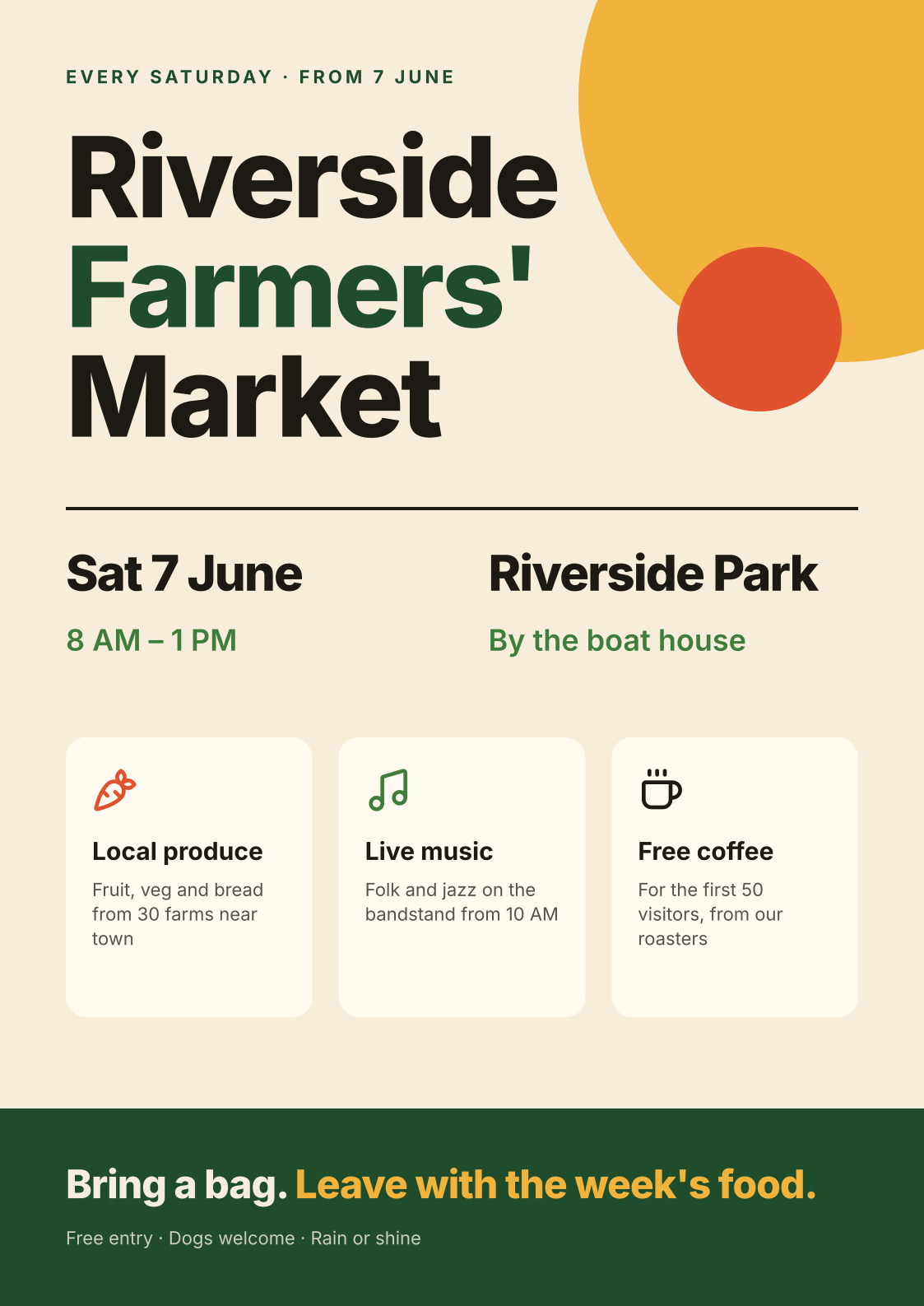
The promptA poster for a Saturday farmers' market: from 7 June, 8 AM to 1 PM, at Riverside Park by the boat house. Local produce, live music, and free coffee for the first 50 visitors. Bold, warm, and easy to read from across the street.
Made by an AI agent connected to vDesign over MCP, and drawn here by vDesign's own
exporter. Every element is still a layer you can edit.
Download the .vd file
How it was made
The agent read the brief, set up the poster’s colours, type sizes and spacing as named tokens,
and then built it a region at a time: the headline, the date and place, three cards for what is
on, and a band at the foot. It checked its own work for text that overflowed, looked at the
result and tightened the spacing. Nothing on the page is a generated picture.
Change it in a sentence or by hand
Because every element is a layer and every colour is a token, a change is small:
“Move it to Sunday 8 June” retypes two lines of text.
“Make the green darker” changes one token, and every green on the poster follows.
“Add the QR code for our sign-up page” places an image slot you drop the code into.
Or drag the cards, retype the headline and recolour the sun yourself, on the canvas.
Ask for a better poster
Say what it is, when, where and what people get, in the order you want them read. Name the
size if it matters, and the mood in a few words (“bold, warm, readable from across the
street”). Then edit: the first draft is a starting point you keep, not a picture you replace.
Yes. The date is text, not part of a picture. Retype it on the canvas, or ask the assistant to change it, and nothing else on the poster moves unless it should.
What size is the poster?
This one is A3 in portrait. Ask for any size, or ask for the same poster again at another size, such as a square social post.
Can I print it?
Export it as PDF, PNG, SVG or an Illustrator file from vDesign and send it to any printer.
We use anonymous analytics, hosted in the US region, to see how the site is used. See
our Privacy Policy.