

The open design tool,
for any AI model.
Describe what you need. An agent on the model you choose builds it on a real canvas, and you keep editing by hand.
- Any model
- Any provider
- Mac, Windows and the web
PromptMake a poster for the Blue Room's Friday jazz nights: navy and amber, big type, the two acts and a ticket button.
version 4kind designtitle "Blue Room Fridays"$navy = #13213c$amber = #fca311$cream = #f4efe6$sky = #8fb3e8$m = 88font display = Interframe poster w=1080 h=1350 background=navy clip ellipse moon x=520 y=-160 w=700 h=700 fill=amber ellipse halo x=420 y=-260 w=900 h=900 fill=none stroke=amber strokeWidth=3 opacity=0.4 text kicker x=$m y=600 w=800 h=36 font=display size=30 weight=700 letterSpacing=6 fill=sky "LIVE EVERY FRIDAY · 9 PM" text title x=$m y=(@kicker.bottom + 28) w=904 h=290 font=display size=148 weight=800 lineHeight=0.96 letterSpacing=-6 fill=cream "Blue Room " "Jazz Nights" fill=amber rect rule x=$m y=(@title.bottom + 44) w=904 h=3 fill=cream opacity=0.3 text act.1 x=$m y=(@rule.bottom + 40) w=560 h=44 font=display size=34 weight=700 fill=cream "Nia Okafor Trio" text act.2 x=$m y=(@act.1.bottom + 12) w=560 h=44 font=display size=34 weight=600 fill=sky "The Late Shift Quartet" rect ticket x=(parent.w - $m - 300) y=(@rule.bottom + 44) w=300 h=96 fill=amber radius=48 text ticket.label x=@ticket.x y=(@ticket.y + 28) w=300 h=40 font=display size=32 weight=800 align=center fill=navy "Tickets £12" text venue x=$m y=(parent.h - $m - 30) w=904 h=30 font=display size=24 weight=500 fill=cream opacity=0.6 "The Blue Room · 14 Canal Street · Doors 8:30"01The problem
Design tools were built for a mouse, not for a conversation.
- 01
Everyone needs design
A menu, a slide, a flyer, a report cover. The tools still assume years of practice.
- 02
AI locked inside closed tools
Each assistant is tied to one vendor, one editor and one subscription.
- 03
Pictures you can't edit
A generated image of a poster isn't a poster. You can't fix a typo, move a logo or change a colour.
vDesign is different. It is open to the model you choose, and vDesign AI builds a real, editable design, not a flat image. Every text box, shape and colour stays yours to change, by hand or by asking again.
02See it work
One prompt in. An editable design out.
Real recordings of the current build. Waiting time is sped up and labelled; everything else plays as it happened.
-
Nonprofits
A poster for a tree-planting drive
Prompt
An A3 poster for a neighbourhood tree-planting drive. Sunday 5 October, 7 AM, Central Park. Volunteers bring water bottles, saplings provided. Leave room for a QR code.
Then
Add the qr code to the poster
-
Engineering and events
A website for a developer conference
Prompt
Build a one-page site for a two-day regional developer conference in Bengaluru with a speaker grid (8 speakers), a two-track schedule, ticket tiers with an early-bird deadline countdown, and a venue section.
Where developers already work
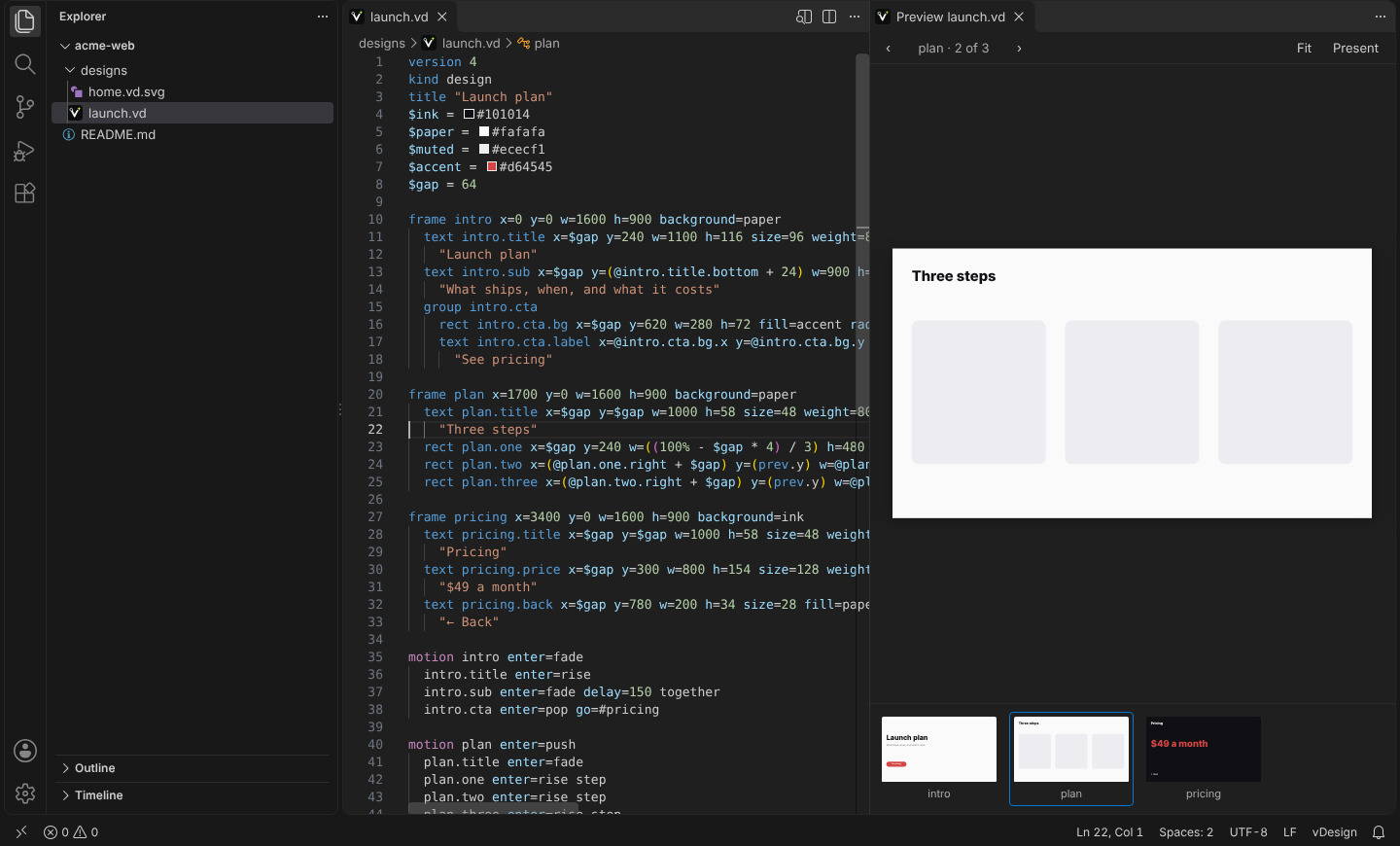
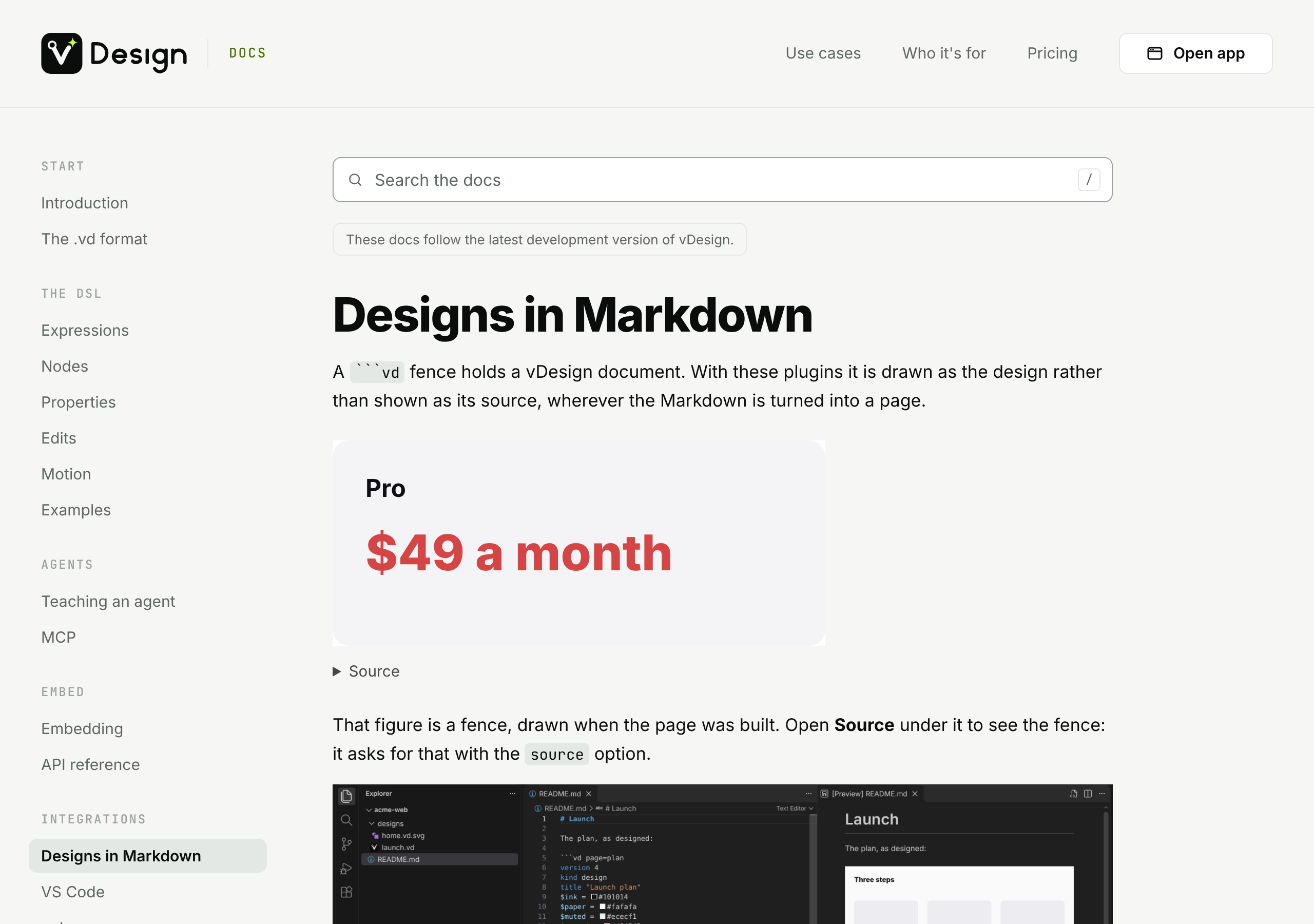
A design opens beside the code in VS Code, Cursor and github.dev, and a ```vd
fence in your Markdown is drawn as the design. Made in vDesign, viewed where you write.
03Desktop
vDesign is best on your desktop.
The desktop app is the whole of vDesign: your files, your fonts, your own models, and the AI apps on your computer. It keeps itself up to date. The web app is there for when you cannot install anything.
The desktop app is for Mac and Windows. Open this page on your computer to download it, or use the web app.
Mac
Intel · macOS 12 or later
On an Apple silicon Mac? Download the Apple silicon build
Windows
Get it from the Microsoft Store64-bit · Windows 10 (version 2004) or later
Opens the Microsoft Store in a new tab.
On Linux? There is no Linux build yet, so use the web app.
-
Your keys stay on your computer
By default, an API key you add in the desktop app is kept on this computer and sent only to its provider.
-
Local and custom models
Run vDesign AI on a model on your own machine, or on any address you choose.
-
Claude Desktop and other local AI apps
Connect them straight to vDesign on your computer.
-
Your installed fonts
Design with every font on your computer, not only the ones a document carries.
-
Real files, even offline
Double-click a .vd file to open it, see changes made to it outside the app, and keep working offline once signed in.
04Use cases
Anything people look at.
Start from a sentence. Leave with a design you can edit, export and share.
-
Marketing postcards
Direct mail, promotions and seasonal offers.
-
Brochures
Tri-folds, service guides and product catalogues.
-
Slides
Pitch decks, sales decks, lectures and reviews.
-
Brand guidelines
Logos, palettes, type scales, do's and don'ts.
Marketing
- Social media posts
- Posters and flyers
- Ads and banners
- Email headers
Documents
- One-pagers
- Reports
- Infographics
- Newsletters
Brand
- Business cards
- Letterheads
- Stationery kits
- Name badges
Everyday & events
- Menus
- Invitations
- Certificates
- Signage
- Packaging labels
Product & teams
- Wireframes
- Diagrams
- Resumes
- Worksheets
05For developers
Put vDesign inside your product.
Two packages on npm, free to use, including commercially. A design your users make, or one an agent writes, looks the same in your product as it does on the vDesign canvas.
-
@getv.design/embed
Show and edit designs in your web page
Draw a .vd design in any page, with any framework or none. Readers page through it, zoom and present it, or edit it in the vDesign editor inside your product.
- A view, a presenter and the full editor, each loaded only when used
- A change event for every undo step, with the whole file as text
- An SVG string with no DOM, in Node or the browser
- Runs under a strict content security policy
import { view } from '@getv.design/embed/view'; await view(element, design); -
@getv.design/export
Export designs from a server or a build
Turn .vd files into PNG, JPEG, WebP, SVG, PDF, Illustrator, HTML, PowerPoint and GIF, in Node, with no browser. The same layout, fonts and line breaks as the canvas.
- PowerPoint slides whose shapes and text stay editable
- A command line for scripts and CI
- Every design on this site, the poster at the top included, is drawn by it
npx vdesign-export deck.vd --format pptx
npx vdesign-export deck.vd -f png --scale 2
The .vd format itself is open, CC BY 4.0: anyone may read and write it. The packages' code is proprietary; their licences are in each package.
06Who it's for
For anyone who needs something designed, not only designers.
-
Founders
Pitch decks and launch visuals, without hiring an agency on day one.
-
Marketers
Campaign assets in every size, on brand, in minutes.
-
Teachers
Handouts, worksheets and lesson slides.
-
Small businesses
Menus, flyers, signage and postcards.
-
Healthcare
Clear patient leaflets and clinic signage.
-
Nonprofits
Event posters, reports and donor updates.
-
Real estate
Listing sheets and open-house flyers.
-
Engineering and product teams
Diagrams, mockups and internal decks.
-
Designers
A first draft in seconds, then full control to refine it.
Built for
Forward-deployed designers.
They work inside a customer's world: a brief in the morning, something real by the afternoon. vDesign lets them direct vDesign AI for the first draft, refine it by hand, and hand over a file anyone can open.
- 1 A brief in the morning
- vDesign AI builds a first draft
- 3 Refined by hand, on site
- 4 Delivered by the afternoon
07Why vDesign
What makes it different.
-
Any model, any provider
Claude, GPT, Gemini or whatever comes next, through the assistant you already use or any app that speaks MCP. No preferred vendor, no lock-in.
-
A real editor
Not an image generator. Drag, resize and retype after vDesign AI is done, on the same canvas.
-
Yours for life
Every design is a .vd file you keep. Portable, and readable by people and by any LLM, not locked in a format built for a world before AI.
-
Embeddable
Built to live inside other products, not only as a standalone app: the embed and export packages are on npm.